
Download TurinQ – AI-Powered Quiz Creation Tool for Educators & Learners
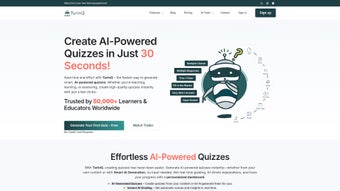
TurinQ is a revolutionary web-based software that leverages artificial intelligence to transform the way quizzes are created. Whether you're an educator, trainer, or self-learner, TurinQ simplifies the quiz development process by generating accurate, context-aware questions from any text input. This free-to-try AI-powered tool supports content from textbooks, articles, presentations, and more, automatically producing multiple-choice, true/false, and short-answer questions.
With a clean, intuitive interface and seamless integration into online learning workflows, TurinQ saves hours of manual effort. Its ability to understand nuanced content ensures high-quality assessments that truly test comprehension. Ideal for classroom use, e-learning platforms, and personal study, TurinQ enhances learning outcomes through efficient, intelligent evaluation.
Download TurinQ today and experience the future of quiz creation—secure, fast, and designed for real-world education needs.
AI-Driven Quiz Creation: Transform Content into Smart Assessments
Creating quizzes from scratch can be a tedious and time-consuming task, especially when aiming for accuracy and relevance. TurinQ eliminates this burden by harnessing the power of artificial intelligence to convert any piece of content into a fully structured quiz. Whether you're inputting a chapter from a textbook, a research paper, or a lecture transcript, TurinQ analyzes the context, identifies key concepts, and generates questions that reflect true understanding—not just rote memorization. This intelligent approach ensures that each quiz is not only relevant but also pedagogically sound. One of TurinQ’s standout features is its ability to generate diverse question types, including multiple-choice, true/false, and short-answer formats. This flexibility allows educators to tailor assessments to different learning objectives. For example, multiple-choice questions are perfect for testing factual recall, while short-answer prompts encourage deeper thinking and critical analysis. The AI also intelligently crafts plausible distractors for multiple-choice questions, making it harder for students to guess the correct answer and thus increasing the validity of the assessment. Another major advantage is the speed of creation. What used to take hours—researching, writing, and reviewing questions—now takes minutes. This efficiency is a game-changer for teachers managing large classes or online course creators needing to produce consistent assessments across modules. Moreover, TurinQ continuously updates its algorithms to improve question quality and contextual understanding, ensuring that each quiz remains accurate and up-to-date. The platform also supports real-time editing, so users can refine questions or add explanations directly within the interface. With TurinQ, you’re not just saving time—you’re enhancing the quality and effectiveness of your assessments.Seamless Integration & User-Friendly Experience Across Devices
TurinQ is built as a web application, meaning you don’t need to download or install anything to start using it. Simply visit the website, sign up for a free trial, and begin creating quizzes in seconds. This browser-based design ensures compatibility across all major operating systems, including Windows, Mac, Android, and iOS. Whether you're using a desktop, laptop, tablet, or smartphone, TurinQ adapts seamlessly to your screen size and input method, delivering a consistent and intuitive experience. The interface is thoughtfully designed with educators and learners in mind. The dashboard presents a clean layout with clear navigation, allowing users to upload content, preview generated questions, and export quizzes in various formats such as PDF or CSV. The content input area supports plain text, pasted content, or direct file uploads (PDF, DOCX, TXT), making it easy to work with diverse materials. Once the content is submitted, TurinQ processes it in real time, displaying the generated quiz with a preview of each question and its answer key. For educators, the ability to customize quiz settings is a major plus. You can set the number of questions, specify difficulty levels, and choose question types. Additionally, TurinQ allows you to add custom instructions, time limits, and even feedback for correct and incorrect answers—features that are invaluable for online learning platforms. The platform also supports collaboration, letting multiple users work on the same quiz, which is ideal for team teaching or content review. With automatic updates and regular feature enhancements, TurinQ ensures that users always have access to the latest tools without any manual intervention. This combination of accessibility, simplicity, and powerful functionality makes TurinQ a must-have tool for modern education.Key Features, Pros, and Cons: A Comprehensive Breakdown
TurinQ comes packed with features that make it one of the most effective AI quiz creation tools on the market. Here’s a detailed look at what sets it apart:- AI-Powered Question Generation: Automatically creates relevant, context-aware questions from any text input.
- Multiple Question Types: Supports multiple-choice, true/false, and short-answer formats with intelligent distractor creation.
- Content Flexibility: Accepts text, PDFs, DOCX, and pasted content—ideal for diverse learning materials.
- Customizable Settings: Adjust quiz length, difficulty, time limits, and feedback options.
- Export & Share Options: Download quizzes in PDF, CSV, or directly integrate with LMS platforms like Moodle and Google Classroom.
- Real-Time Editing: Modify questions, answers, or explanations instantly without starting over.
- Collaboration Tools: Invite team members to co-create or review quizzes.
- Secure & Cloud-Based: All data is encrypted and stored securely in the cloud, with no local installation required.
Pros:
- Significantly reduces quiz creation time—up to 80% faster than manual methods.
- High accuracy in question relevance and context understanding.
- Intuitive, responsive interface works on all devices.
- Free trial available with robust functionality.
- Regular updates and strong customer support.
Cons:
- Advanced features require a subscription (free tier has limited exports).
- AI may occasionally misinterpret complex or ambiguous content.
- Requires stable internet connection due to cloud-based nature.
Frequently Asked Questions (FAQ)
Is TurinQ free to use?
Yes, TurinQ offers a free trial with full access to core features. The free tier allows limited quiz generation and exports, but for advanced functionality and unlimited use, a subscription is required.
Can I use TurinQ on my mobile device?
Absolutely. TurinQ is a web application that works seamlessly on Android and iOS devices through any modern browser. The responsive design ensures a smooth experience on tablets and smartphones.
How secure is my content on TurinQ?
TurinQ uses end-to-end encryption and secure cloud storage to protect your data. Your content is never shared with third parties, and all processing is done with privacy in mind.
Can I export quizzes to LMS platforms?
Yes, TurinQ supports exporting quizzes in CSV and PDF formats, which can be easily imported into popular LMS platforms like Moodle, Google Classroom, and Canvas.
What types of content can I use to generate quizzes?
You can input plain text, paste content from articles or books, or upload files in PDF, DOCX, and TXT formats. TurinQ processes all types of written material to generate relevant questions.



.png)



